For business owners
Know where your business stands before the next bill lands.
Connect your business bank account and CircumFi shows your balance, what came in and what went out, and how recent weeks compare with your usual. Set the alerts you want, and see the payments that repeat before they come due.
Free for business owners.
Sign up with your email address. No password to remember.
Already signed up? Sign in
What you get
Where you stand
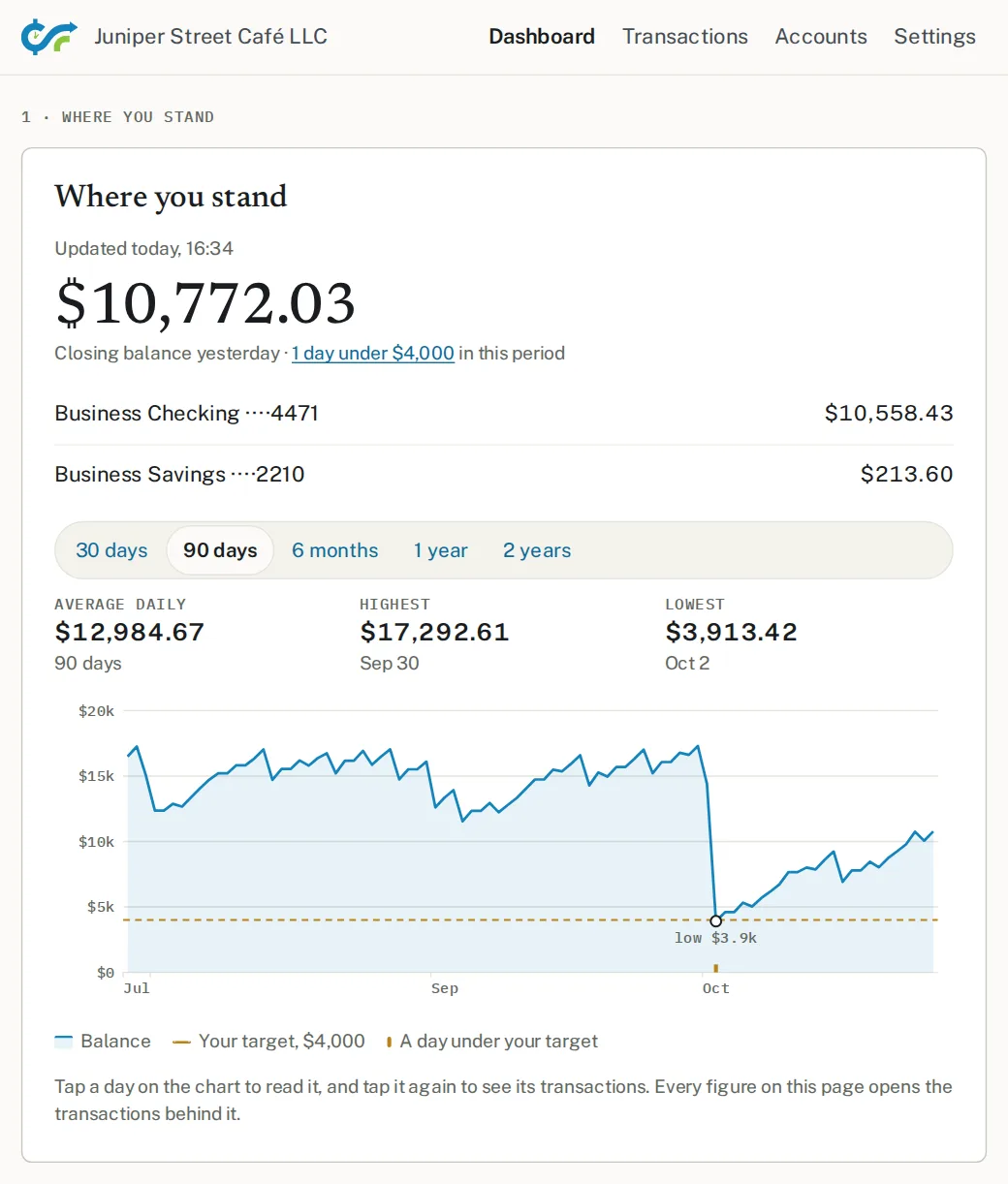
Your balance across your business accounts, with the highest, lowest, and average day for the period you pick.
Money in and out
What came in and what went out, sorted into categories, and how recent weeks compare with your own averages.
Payments that repeat
Rent, loan payments, subscriptions, and other payments that repeat on a schedule, with an optional email each Sunday listing the ones due that week.
Alerts you choose
Email alerts when your balance goes under the target you set, or when a category of spending nears the monthly limit you set.
How your bank connects
- You connect your bank through Plaid. CircumFi reads your account activity; it can't move money.
- Connecting a bank from your dashboard asks for a passkey on your phone or computer to confirm it's you, then trusts that browser for 30 days.
Does your lender use CircumFi?
Use the invitation your lender emailed you instead. It sets up the same dashboard, free to you.